Before you start
On Google Pixel, allow VPhoneOS to use background data and battery, then follow the relevant recent-app or background settings. Test after switching apps and turning off the screen. These settings do not guarantee uninterrupted operation.
The screenshots use a Pixel 8 with Android 16. The app is named VPhoneOS. Menus may differ on other Android versions. Save your app or game progress and note the current settings so you can restore them later.
Set up background running
Allow background data first, then change the battery settings.
Allow background data
VPhoneOS → Recents → app name above its card → App info → Mobile data usage
Open VPhoneOS, then open Recents on your phone. Tap the app name above its card and choose App info → Mobile data usage. Turn on Background data, or leave it on if already enabled.
Check the result Background data is on.
Turn on Unrestricted mobile data usage only if you use Data Saver and the task needs mobile data in the background.
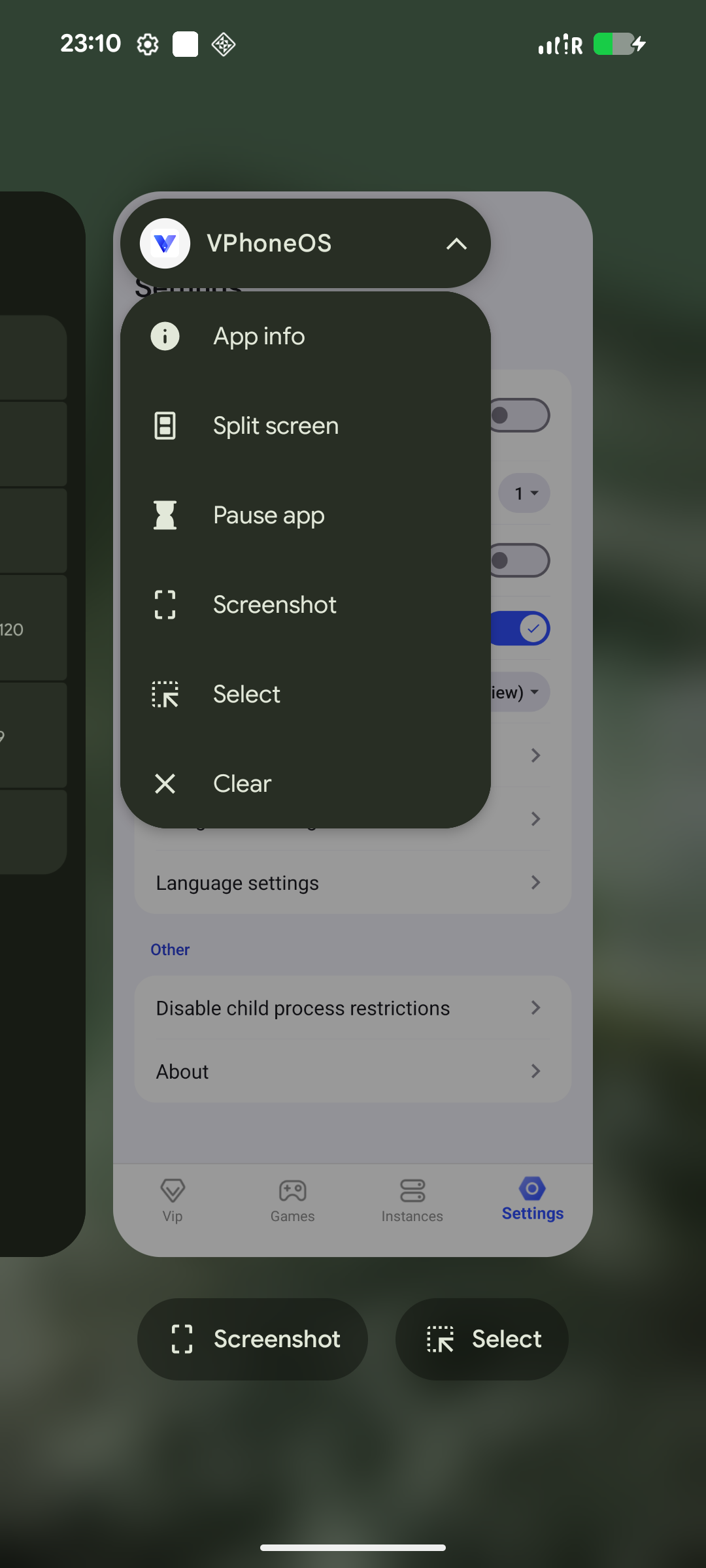
Tap the VPhoneOS name in Recents to open the menu containing App info. 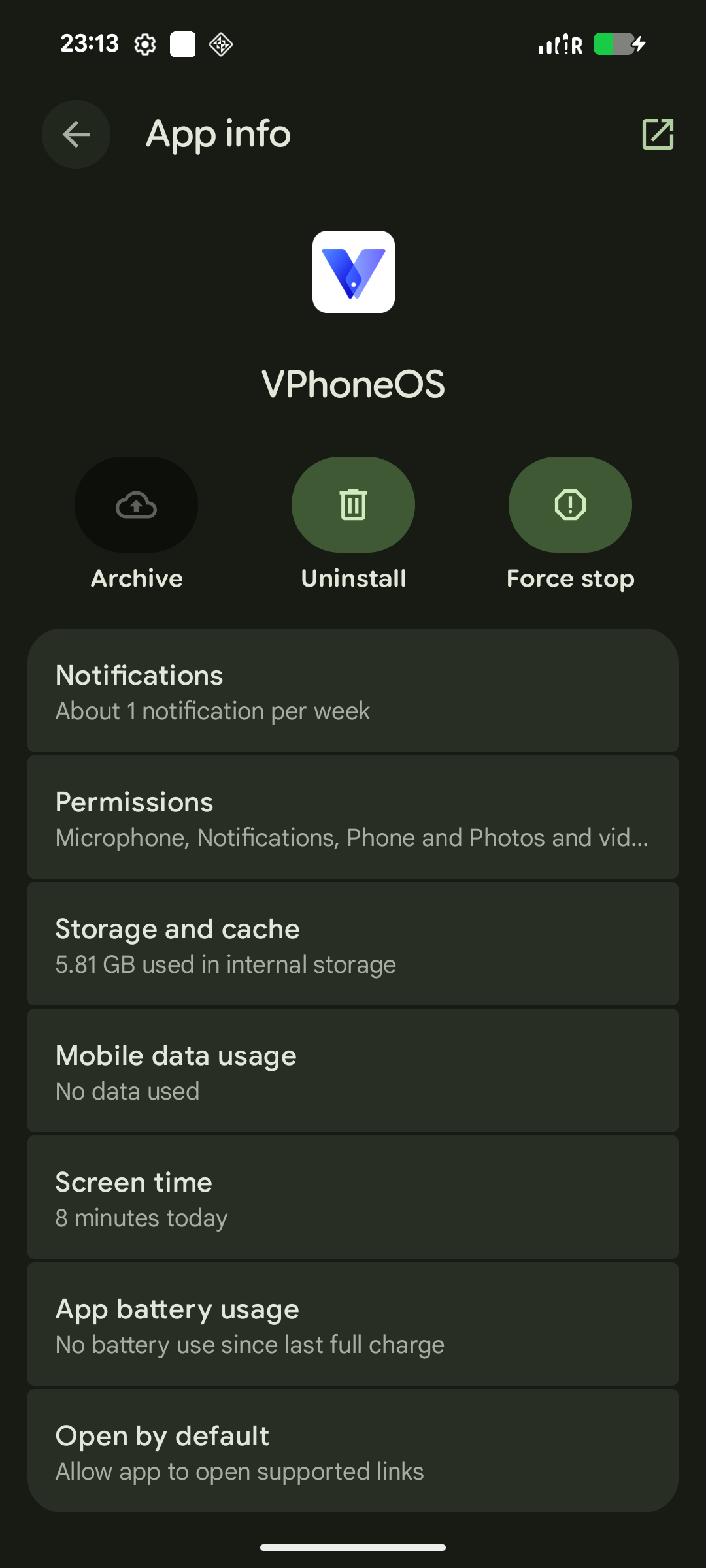
Mobile data usage and App battery usage in App info. Allow background battery use
VPhoneOS App info → App battery usage
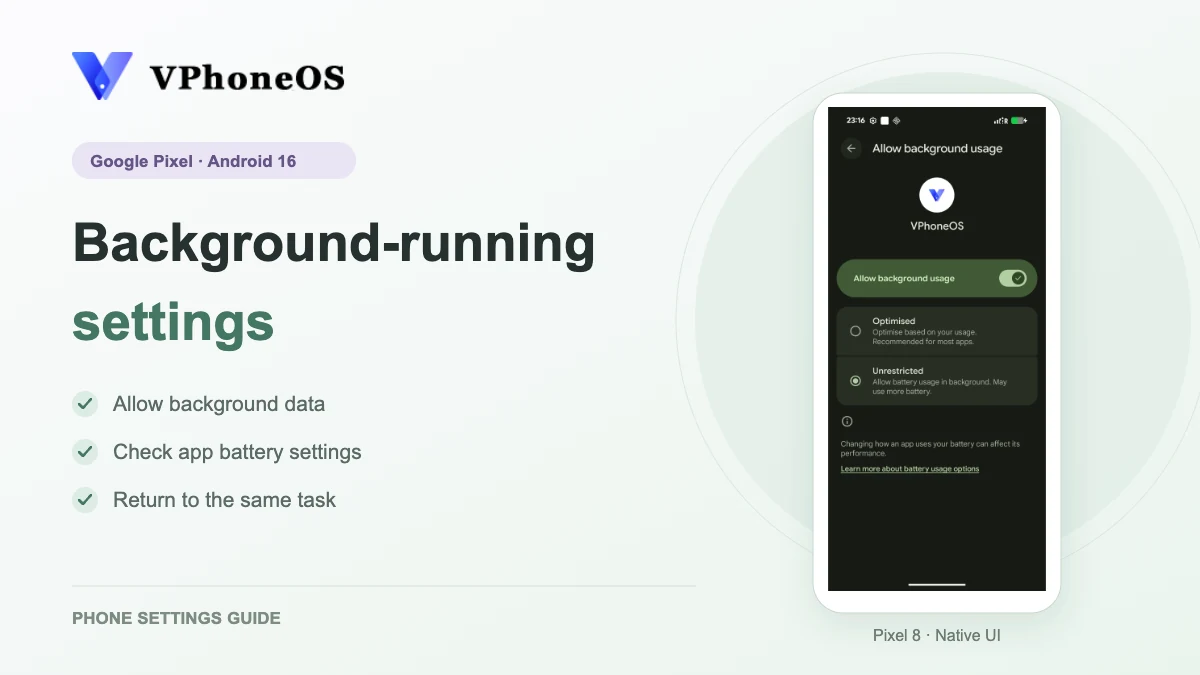
Return to App info and open App battery usage. Turn on Allow background usage. Then tap the text on that row and choose Unrestricted on the next page. Turning on the switch alone does not open that page.
Check the result Allow background usage is on, and Unrestricted is selected on the next page.
This may use more battery. Try switching to another app and locking the phone separately. Each time, return to your virtual machine and check the app’s progress, connection and whether it restarted.
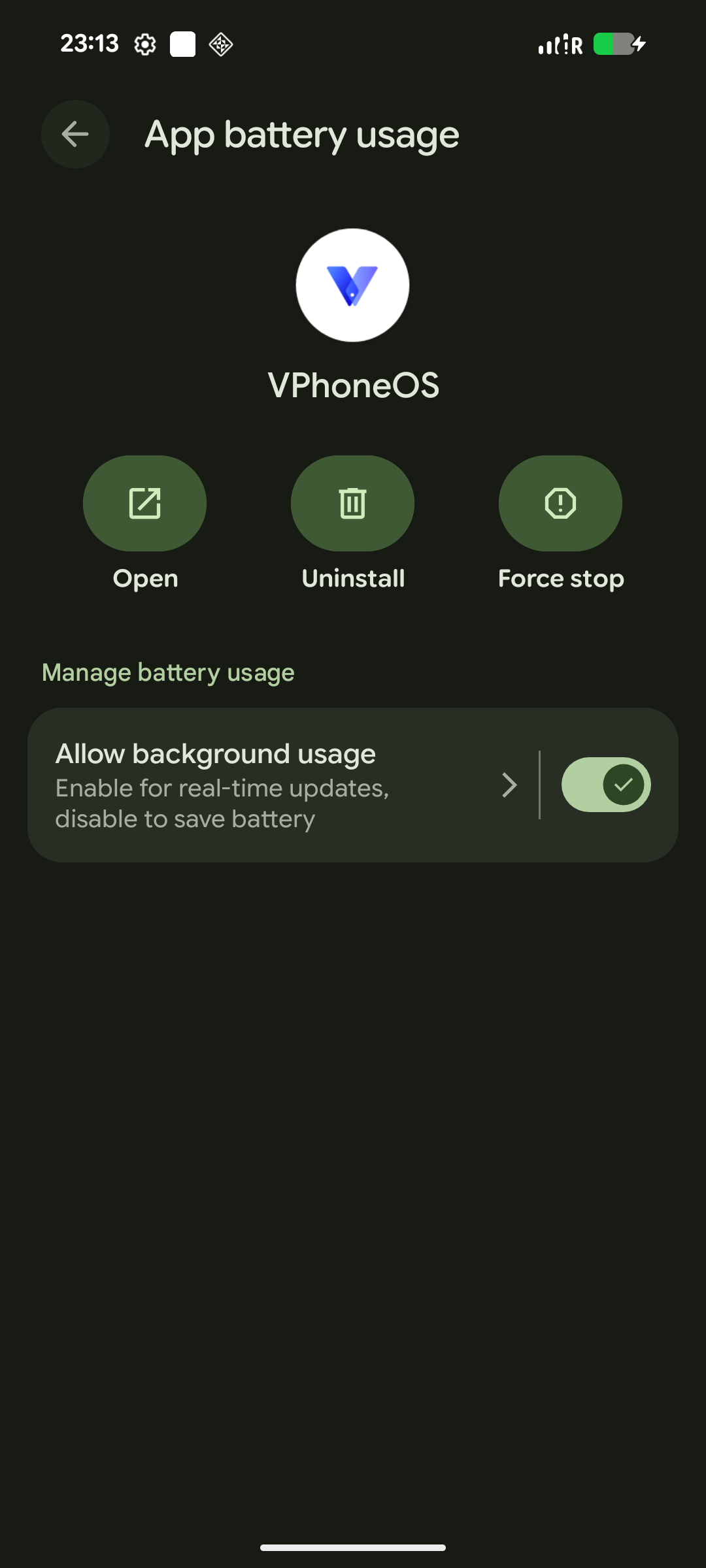
Allow background usage is on; tap the row text to open the battery options. 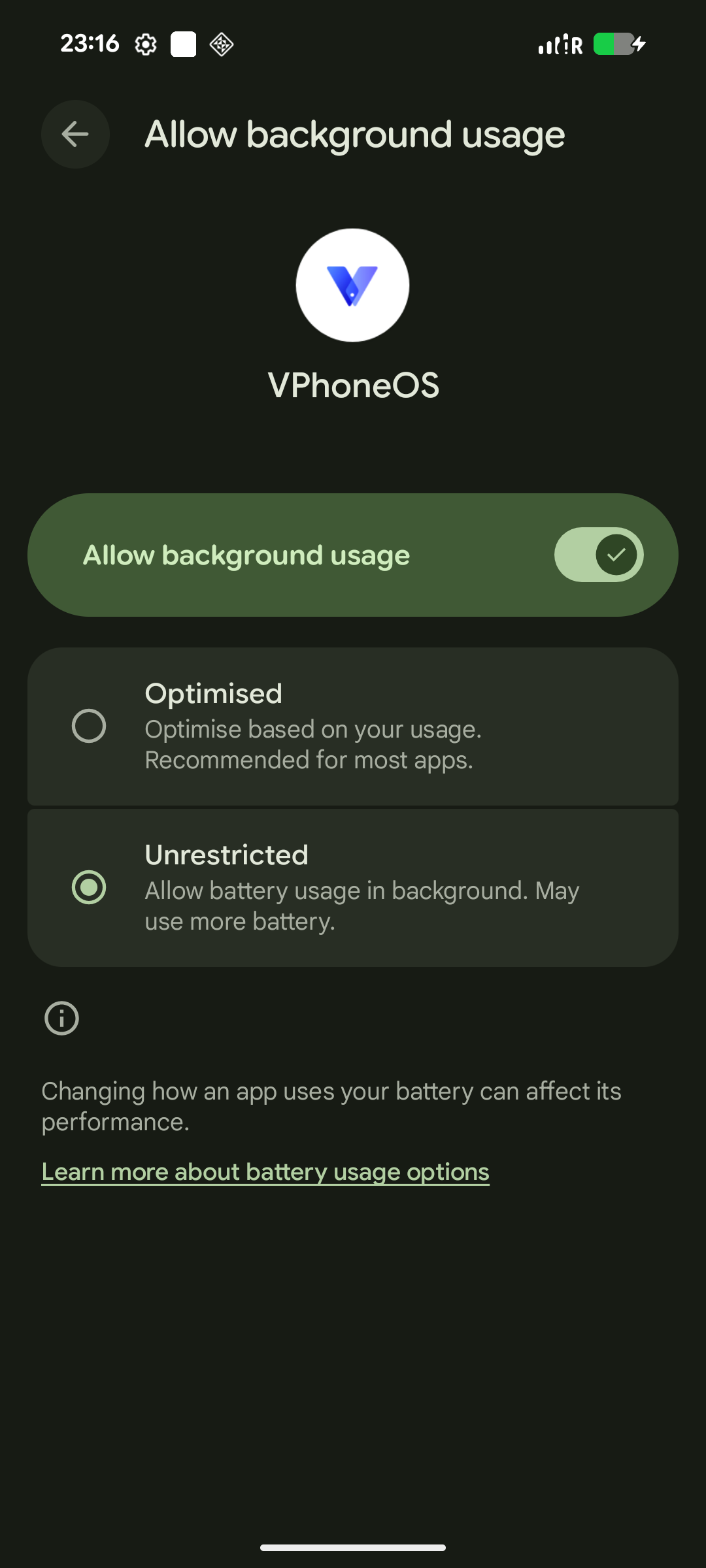
Unrestricted is selected for the battery settings.
Frequently asked questions
Will it keep running all the time?
There is no guarantee. Start the app or game inside your virtual machine, then switch to another app. Come back and check its progress, connection and whether it restarted. A short successful check does not guarantee longer sessions.
How are Data Saver and battery settings different?
Data Saver limits mobile data. Battery settings limit background battery use. Check both if your app needs to stay connected in the background.
Do I also need to pin the app or use a game mode?
Neither is required for this guide. If you need to run with the phone locked, try locking it and then check your virtual machine. Other brands’ screen-off game menus do not apply to Pixel.
How do I restore the original settings?
Return to the same app’s data and battery pages and restore the values you recorded before making changes.