Check what is closing
If the virtual phone stops after switching apps or turning off the screen, check battery, data and recent-app settings first. Use the relevant child-process guide when prompted or if problems persist. A single app crash needs a separate investigation.
| What happens | What to check first |
|---|---|
| Only one app crashes | Check the Android version, 32-bit or 64-bit support, and services that app needs. |
| The whole virtual phone closes in the background | Check background permissions and battery level. Close unused apps and virtual phones. Check child process limits if needed. |
| Error 62 appears | The virtual phone’s internal system stopped unexpectedly. Note whether this happened at startup, during use or in the background. The number alone does not tell you the cause. |
Work through these checks
Background use means the virtual phone keeps working after you go to your phone’s home screen or open another app. Child processes are helper tasks the virtual phone starts. Limits on these tasks can also cause it to close.
- Save your work. Note your phone model and system version, VPhoneOS version, and the virtual phone’s Android version and App architecture setting.
- Close unused virtual phones and apps that use a lot of memory. First try one virtual phone while staying on its screen.
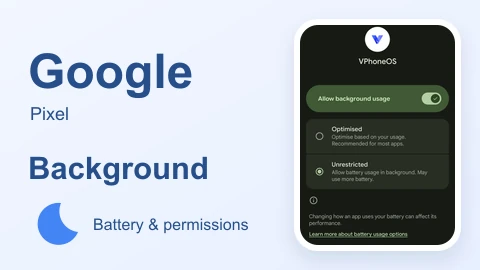
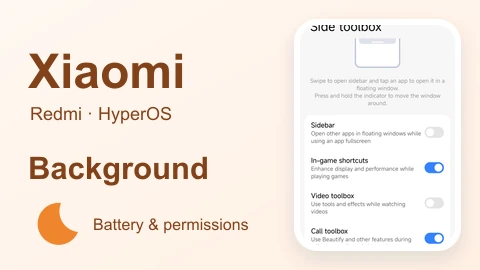
- Find VPhoneOS in your phone’s app settings. Check background use, automatic startup, battery and background data settings. Menu names vary, so use the guide for your phone below.
- If your phone offers Disable child process restrictions, turn it on as shown in the guide. Do not set the separate Background process limit option to No background processes.
- Try the same virtual phone and task again. Check what happens during normal use, after returning to your phone’s home screen and after turning the screen off.
Network access, available memory, heat, battery and the app itself can still affect the task. These settings do not guarantee that it will run without stopping.
Choose your phone brand
OPPO / OnePlus
Xiaomi / Redmi
vivo / iQOO
HONOR
Samsung
Google Pixel
Huawei (older systems)
The Huawei guides are for older systems that can still install Android apps. HarmonyOS 5 and later are not supported.